Landing Pages to Inform and Delight
Clear Messaging to Broaden Awareness
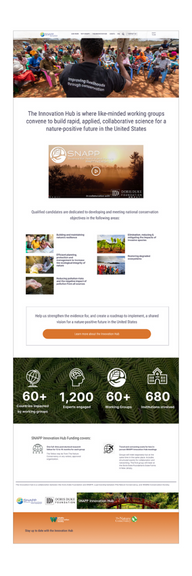
For this landing page, we needed clear messaging to bring awareness to an upcoming workshop for science and conservation collaborators.
My process
I had done considerable prior research with our target audiences. I had a strong understanding of what questions they had, what their primary motivations were for accessing this page, and what outcomes they expected to walk away with. I drafted an initial design in Figma, and asked a handful of test participants the following: What is this page about? and What you can do here? The response was overwhelmingly positive. I knew I was headed in the right direction. I made some final tweaks to the below-the-fold content and rearranged some copy to improve readability and sent it to the dev team.
Why it worked
Clear messaging Hero text here says it all. Site visitors have an immediate understanding of what the site is about, what they can do on it, and what information we’re trying to convey.
Great imagery Even when visitors fail to read (as if!) the message is conveyed instantly via the hero image.
Informative video content Our target audiences overwhelmingly clicked the play button and watched the entire 2 minute video.
Instructional microcopy It’s not accessible if your microcopy fails to set expectations on what will happen if you click here. I ensure all designs are 508 compliant.
Multi Modal Landing Pages
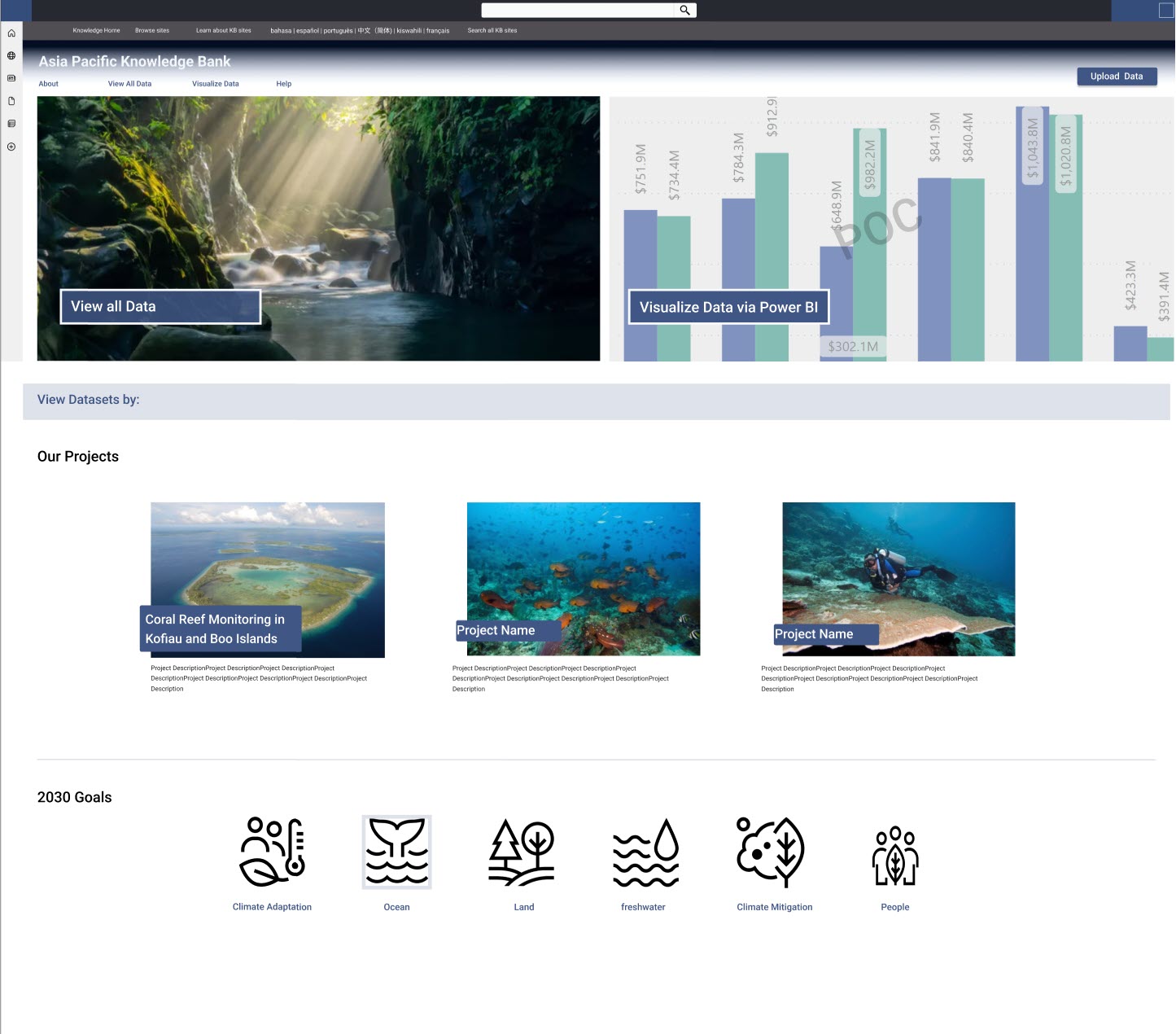
The Coral Reef and Fisheries team in Indonesia was desperate for a data repository that allowed their teams easy access to science data on Coral health and Fish biomass. This data was imperative for working with local governments and tracking the effect of overfishing and tourism.
We designed a tool that allowed a user to access data from either the data library or from Power BI, and view data by project, geography, or metric or any number of variants.
My process
I led several remote workshops with their local science staff, project team leads and their metric coordinator. We documented key points in Miro.
Our first priority was to understand our audiences, and define outcomes, tasks and priorities per role. To align on visual design, I led a lightning round exercise where each team member brought examples of sites they were inspired by.
I researched our storage and UI options, conducted a gap analysis and thoroughly vetted several solution options including:
- building it in-house,
- using an open source tool such as Harvard Dataverse, or
- a high-end, subscription-based data sharing platform.
Backed by this knowledge, I created a proof of concept to align our key stakeholders and IT leadership on our vision and goals, and documented detailed requirements.
Why it worked
It was clear to leadership that we left no stone unturned. The Indonesia team was delighted by the proof of concept and felt heard when they saw that our design could facilitate all of their must have requirements. Our design had clear calls to action and directional cues; and showcased the amazing work done in Indonesia.
A Design for Multiple Audiences
The Science Nature and People Partnership exists to support global conservation work but for small, dedicated teams with a singular focus. Sponsored by The Nature Conservancy, the Wildlife Conservation Fund and independent donors, SNAPP’s goal was to highlight the important work that’s been done and find ways to encourage new cohorts and future funding.
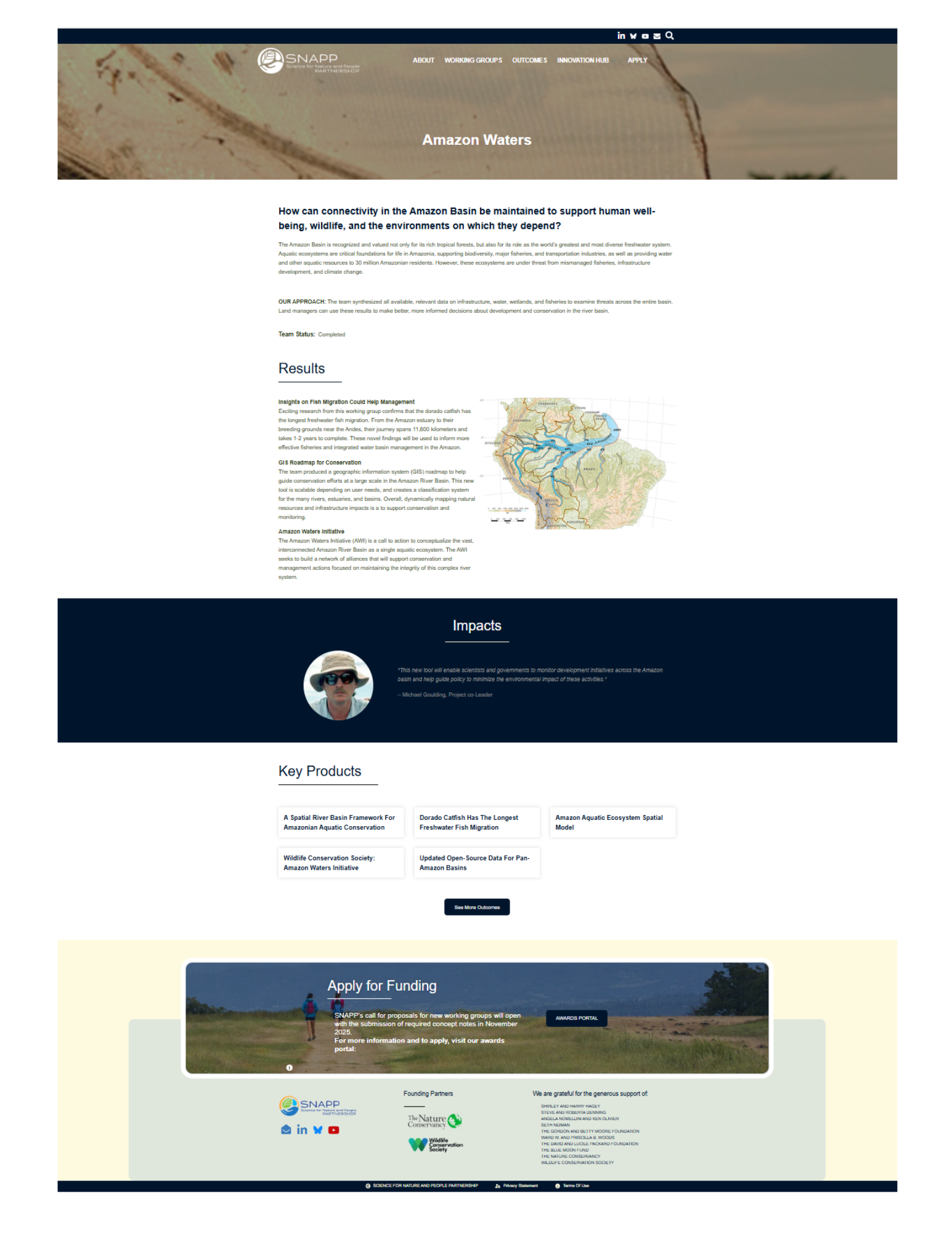
We designed a landing page that allowed conservation and science cohorts to share knowledge and quickly find work relevant to their own goals.
My process
I led a series of usability studies among donors, fundraisers and working groups and a 3-day, in-person Rapid Iterative Prototyping session with our front-end developer, and the advisory team to fast track design and requirements.
Our first priority was to understand the specific needs of donors and conservation science teams that benefited from the work products that came out of these cohorts. This shared knowledge is the foundation of SNAPP but the website in its current configuration made it difficult for teams to find this important data.
Why it worked
The team really enjoyed the rapid iterative design process. It was a great way for us to come to a final design solution. The landing pages were designed in the “Z” format for improved readability and included stunning photography, a strong, specific CTA, and easy access to linked tools and documentation. Donors and work teams could quickly find the status of the project; the tools, applications and reports that came out of each cohort; the progress made; and how to reach team members. The clear CTA encouraged applications and engagement among prospective teams.
Testimonials
Serving as the primary frontend engineer on the team, I worked closely with Wendy on developing UIs and engineering user experiences. Her skill and expertise in developing clear and compelling user stories was a huge asset, and her passion and focus on end-user experience made the product vastly better than it would have been without her. Throughout the project, Wendy was a solid team player, a reliable and professional partner, and just a joy to work with. Her UI designs are top notch, and her expertise in developing data-driven UX workflows is about the best I have ever seen.
Aaron Edwards – Lead Software Engineer at The Nature Conservancy