Personalized, customizable product pages
Personalized Workspaces
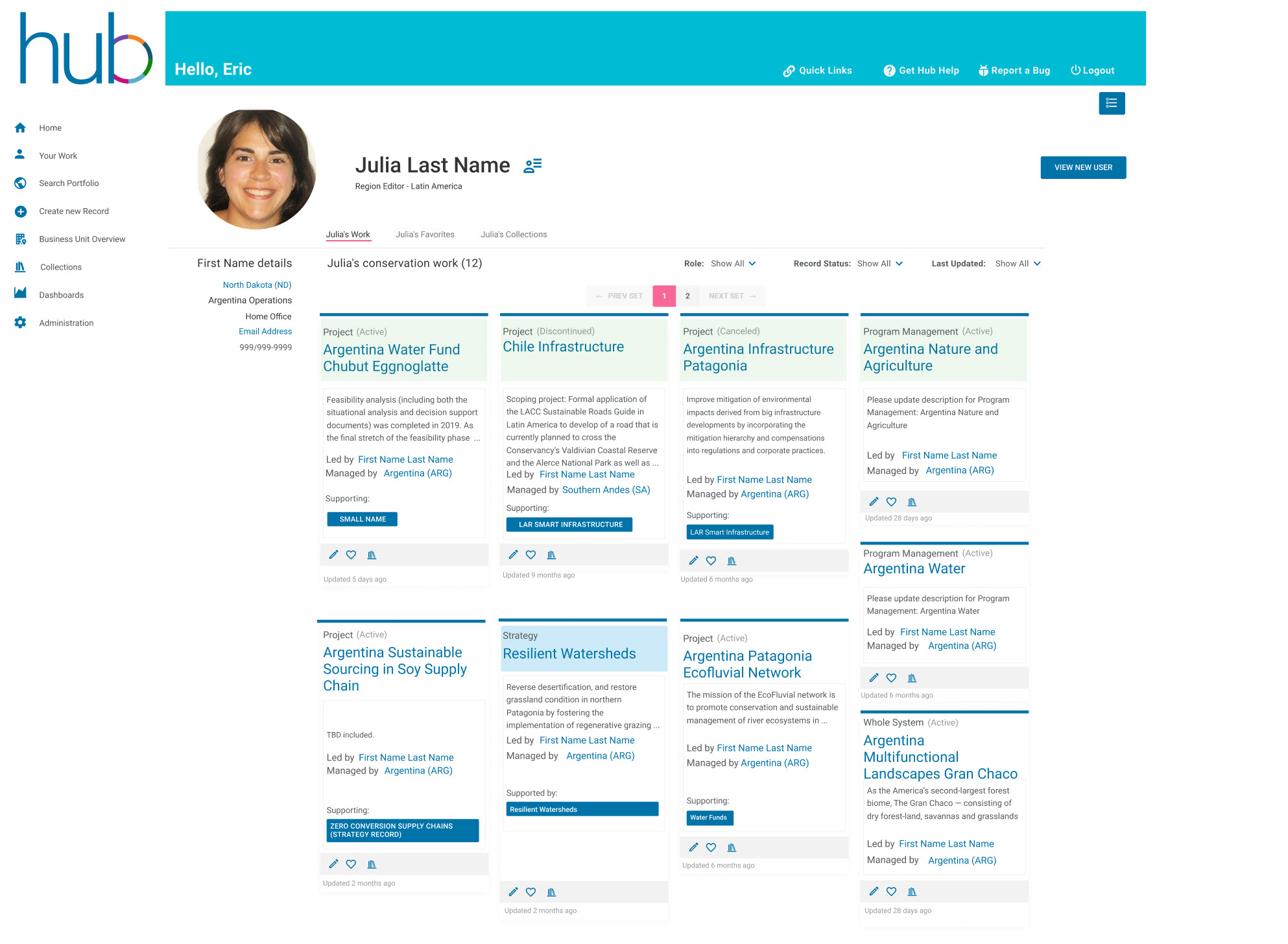
I led the development of a customized workspace called “My Work” that allows staff to quickly view or edit their current projects. Once logged in, they can:
- view a list of projects they’re currently editing;
- create a list of favorites; or
- categorize their favorites into collections.
My process
I conducted a series of contextual interviews among conservation project team members, data reporters, marketing and communications staff and fundraising managers. I discovered that non-conservation staff were intimidated by the growing conservation and science data found in the Hub, and they were eager to find ways to engage with TNC’s global strategies and learn more about its progress toward TNC’s 2030 goals. I designed My Collections to give every staff member the confidence to engage with The Hub’s conservation data and help them find meaningful ways they could use the information to enhance their research and day to day work.
Why it worked
The possibilities were endless.
Not only did My Collections allow conservation staff to categorize their projects by metric, theme or objective, or any number of variants, but fundraising managers learned to organize collections of projects for a specific donor or foundation and fundraising researchers used them to build a hierarchy of collections such as “charismatic megafauna -> arctic fox protection”. Communications staff found them helpful to compile projects with specific outcomes or conservation effort (for example: Hydropower) to research news articles and social media posts. Science researchers began to use Collections to compile projects useful to journal submissions. Data reporters built collections of projects based on status such as: “data entry in progress”, and so on. Further, teams were able to share their collections, view someone else’s collections and use the portal to communicate with one another about a project on a secure platform.
Prioritized, Findable Content
I designed a zero to launch platform, called the Conservation Hub, that would aggregate conservation data to allow TNC staff to better understand the global impact our conservation work had on our 2030 goals. Key functions of the Hub include:
- Find and Share all project and strategy data that was contributing to TNCs 2030 Goals.
- Describe our conservation work
- Report progress toward outcomes and intermediate results
- Evaluate and track conservation impact
- Assess financial health
- Share information among fundraising and marketing teams
- Integrate with Business Intelligence and Finance tools
My process
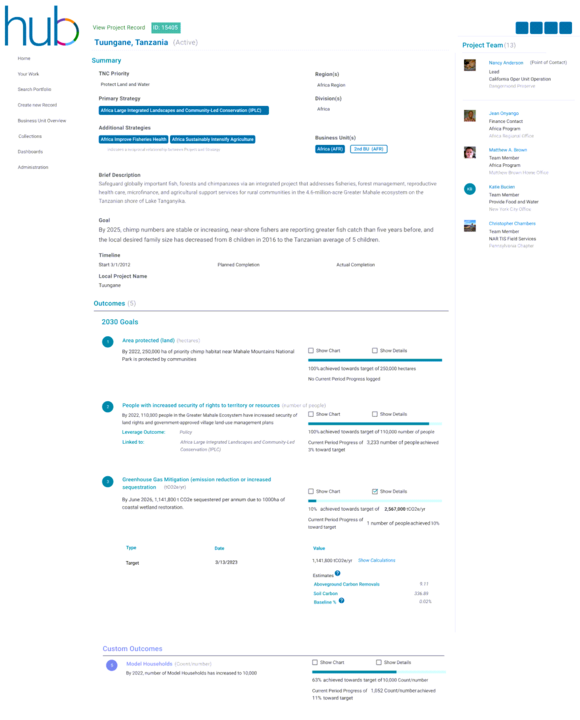
I used Miro to collaborate with key stakeholders (conservation strategy leads, project teams, finance leads and staff from the Chief Conservation Office). Our goal was to prioritize content on the project detail pages so site visitors could easily find metric data, imagery and project descriptions. We went through several iterations and made numerous compromises to try to meet as many stakeholder needs as possible.
Why it worked
The new design made it possible for conservation team leads to share key data with the strategy managers and regional directors during annual project reviews. We elevated metric data and project relationships to support this effort, and added easy to read progress indicators.
We used simple colors and graphics to differentiate project types and added status indicators. Collapsible content allowed visitors to focus on key elements to support the review sessions.
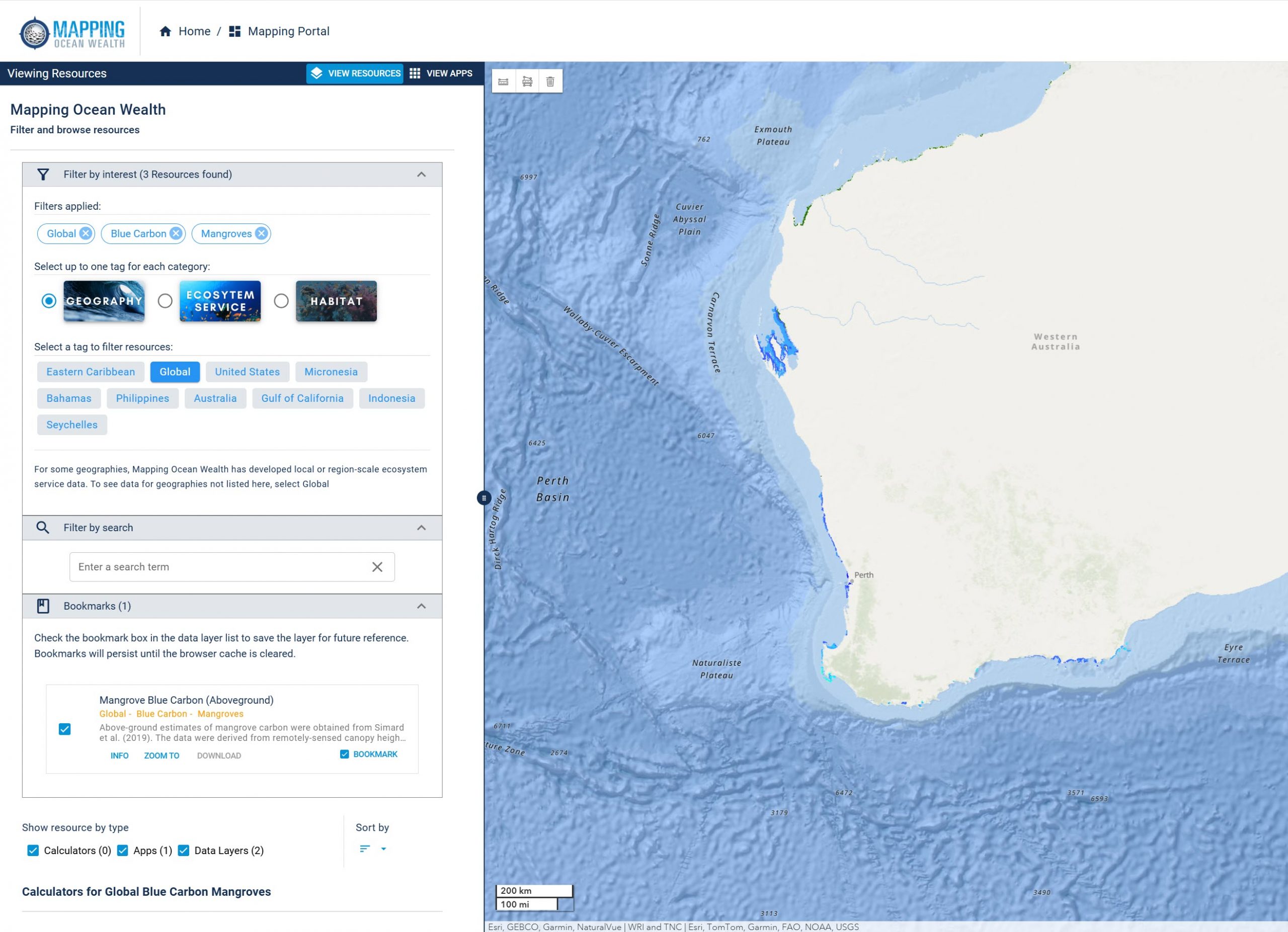
Mapping Ocean Wealth
The Ocean Science team needed a map-based collection of datasets and tools to promote a shared understanding of the value of marine and coastal ecosystems.
The business had a general idea of what they wanted the tool to do, but no understanding of what internal and external users would find most helpful and user friendly.
My process
I worked with the business team to:
- Define their audiences;
- Document their desired outcomes (a line of thinking that was game-changing for this team);
- Define their business requirements and analyze tasks by role;
- Test how well the current system met those needs/expectations;
- Lead internal team collaboration to agree on a data-driven solution.
Using the desired outcomes as a guide, I crafted a task-based test script and conducted a series of user tests to see how well the current system met those needs. I loaded the scripts into Miro.
Our design underwent multiple iterations before we felt confident that we were building a toolset that our key audiences wanted.
I led the discussions and documented all user data in Miro, which helped us align on the business needs, prioritize new features, and plan next steps.
Why it worked
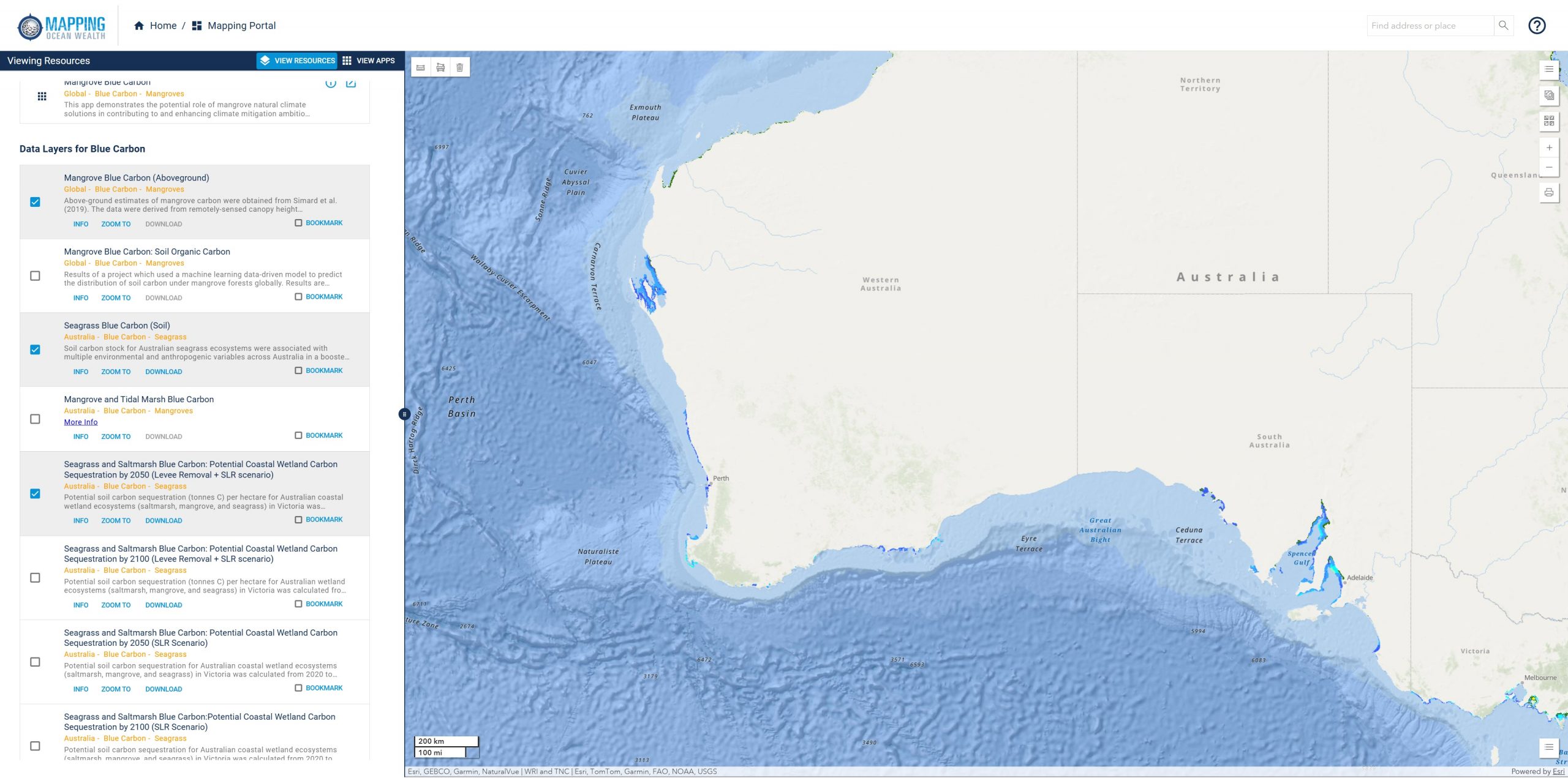
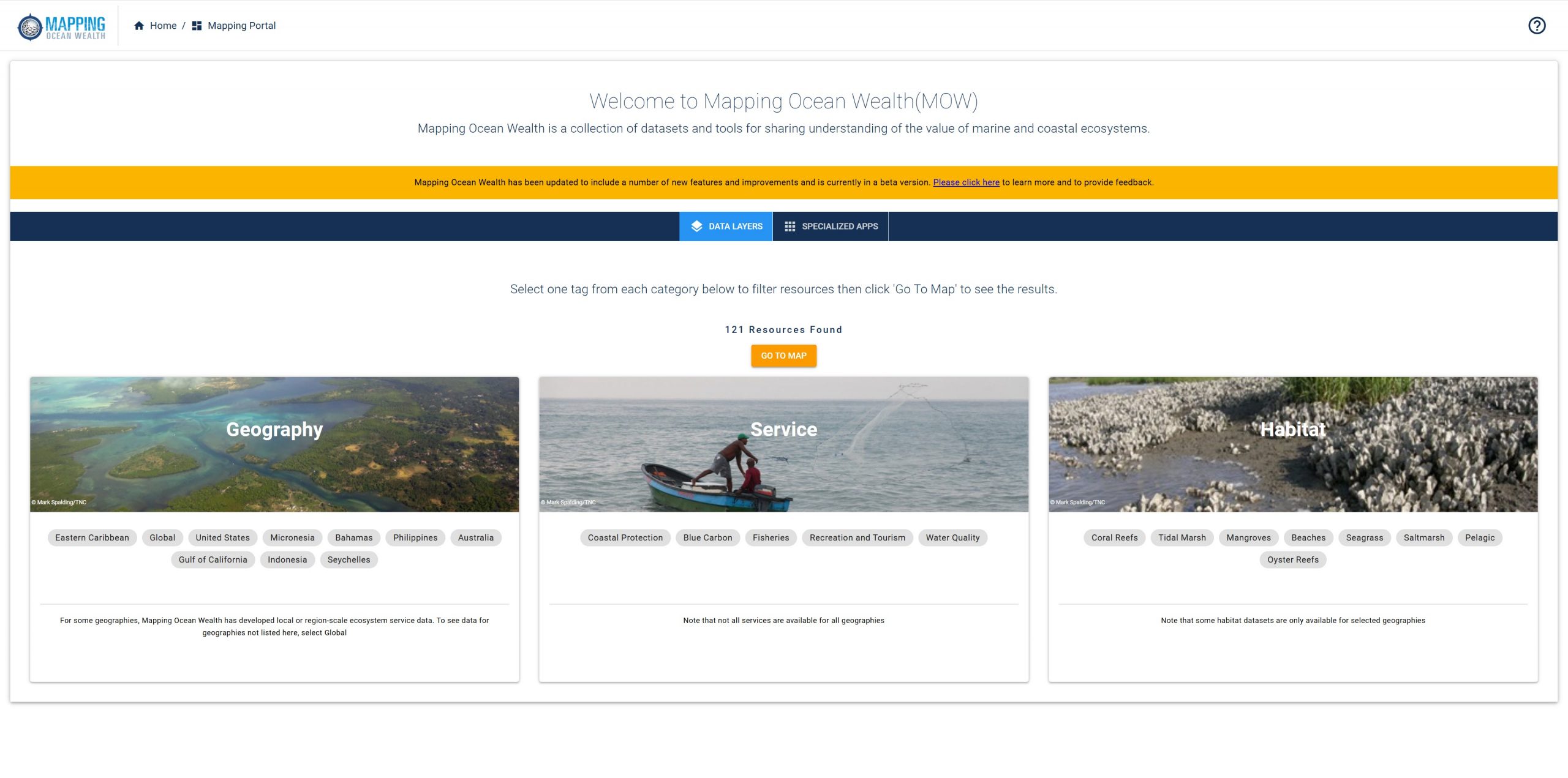
Reduce cognitive load. The results page was designed in an F pattern to make it easier for our visitors to scan the results and select the parameters they wanted mapped out.
Choose your own adventure. We built in a lot of flexibility in the tool to match the goals of individual site visitors.
Testimonials
I had the pleasure of working with Wendy on a large-scale project, and I cannot recommend her enough as a UI/UX designer. Wendy's expertise and dedication were invaluable to the success of our project. Wendy was instrumental in setting up and running user testing sessions, meticulously compiling the information, and delivering concise, actionable recommendations for improvements. Her ability to gather and analyze user feedback was outstanding, and her insights significantly enhanced the usability and overall experience of our website. Wendy's professionalism, collaborative spirit, and commitment to excellence make her an exceptional asset to any team. I highly recommend Wendy for any UI/UX design projects, and I am confident she will continue to excel and deliver outstanding results.
Melanie Bruce – GIS Web Developer at The Nature Conservancy